 Mistvorn Games
Starting with spikes
My latest game concept requires me to implement a number of game mechanics that I am inexperienced with. So, before working on the real game, I made a list of mechanics that I can spike to help me build understanding of how they work and prove they are viable on a phone. Each spike is one small throwaway prototype. This post covers the first three.
Dungeon Delve (a working title) is a top-down deck-building dungeon crawler for phones, built in Godot 4 with C#. It’s played in portrait with taps: tap the ground to move, tap a mob to attack. You’re a treasure hunter who takes quests at a tavern, delves, and comes back to upgrade a small loadout of cards.
My rules for a spike
- One question each, or a couple of closely related ones. It’s written at the top of the task before I start, and the spike is done when I can answer it.
- Greybox only. Capsules and cubes let me concentrate on the mechanic in question and turn the prototype around as fast as possible.
- Throwaway. Each spike has its own folder and scene and never becomes the game. What I keep is a written note: the answer, the values that felt right, and what went wrong.
- Played on real phones. An old Pixel 3 and a Pixel 6 Pro. The Mac tells me nothing about how a tap feels.
- Tuneable on the phone. Every spike has a panel of toggles and sliders, so I can quickly adjust the spike without a rebuild.
- Incremental prototypes. A spike can build on an earlier one, but it never changes it, so every spike stays playable as I go.
Spike 1: tap to move
Question: Does tap-to-move feel responsive and readable on a phone, and what camera suits it?
Answer: Yes, after one fix (below). The camera is tilted 75° below the horizon, 25 m from the hero, and takes about 1.5 seconds to catch up with it. The hero itself responds to a tap at once.
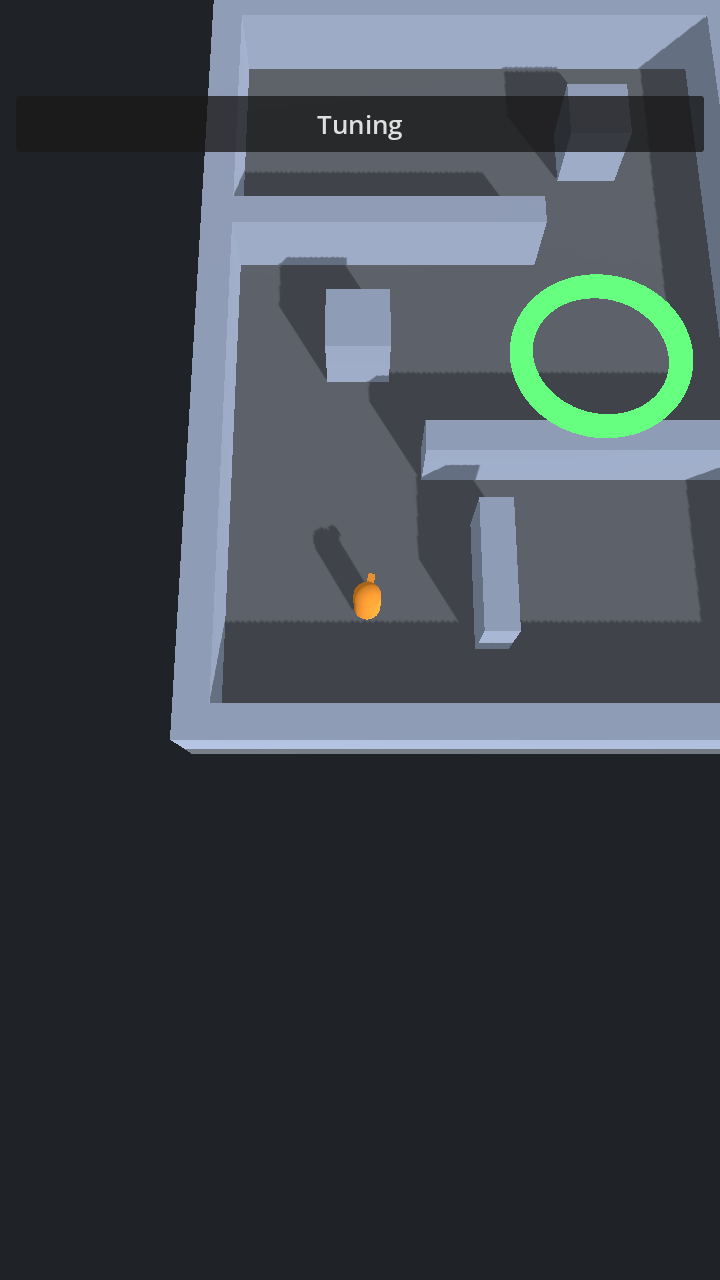
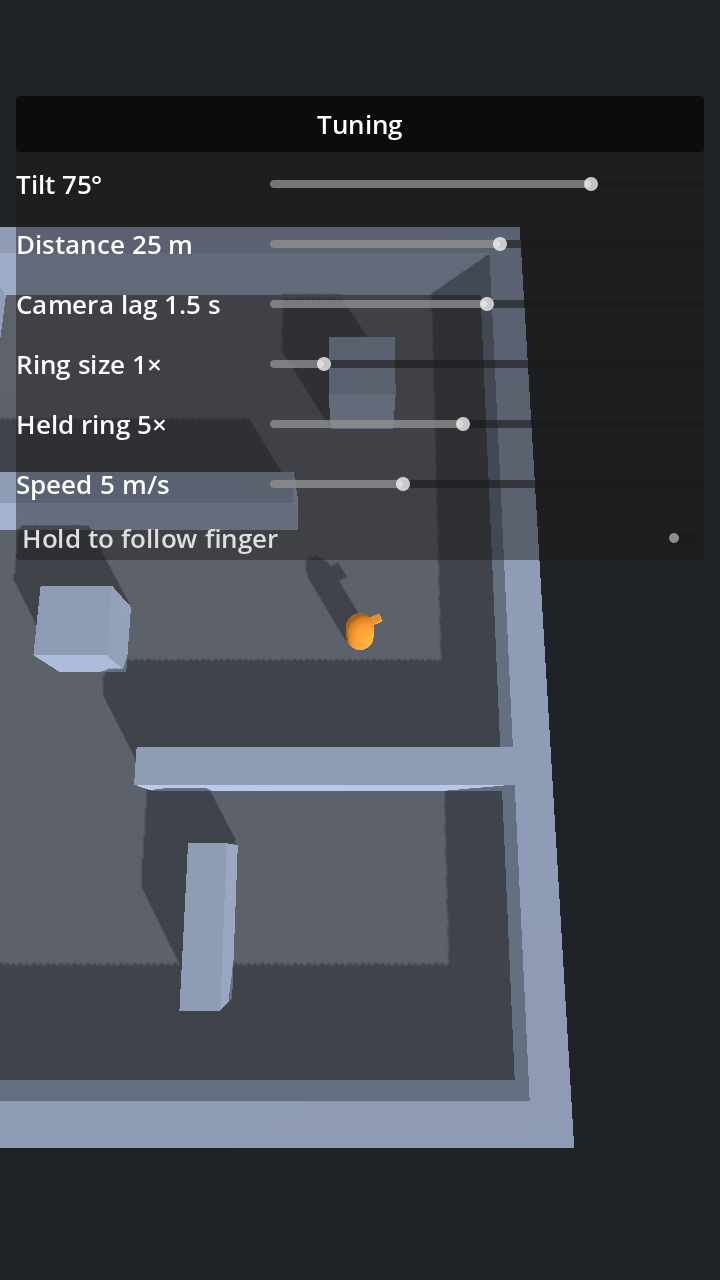
The thing I didn’t expect: with the camera 25 m away, your finger covers both the spot you tapped and the ring that confirms it. The ring now grows to five times its size while your finger is down, so it shows around your fingertip, and shrinks when you lift.
Some Godot notes:
NavigationAgent3Ddidn’t work for me out of the box. The baked navigation mesh sat about half a metre above the floor and the agent measures its distance to a waypoint in 3D, so the hero never “arrived” at the first one and jittered in place. Instead I askNavigationServer3D.MapGetPathfor a path and follow it myself, measuring on the floor plane. If I want the agent back later, itspath_height_offsetneeds setting to match the mesh.- Camera follow is much easier to tune as “lag in seconds” than as a stiffness value. With stiffness, both ends of the slider felt rigid and the useful range was hidden near the bottom.
- I turned physics interpolation on. The hero moves on the 60 Hz physics tick and the camera moves every frame, so on a 120 Hz screen the hero would step at half the camera’s rate.
Spike 2: a procedural dungeon
Question: How do you build a procedural dungeon? Can navigation work across rooms assembled at runtime, and how long does generation take on a phone?
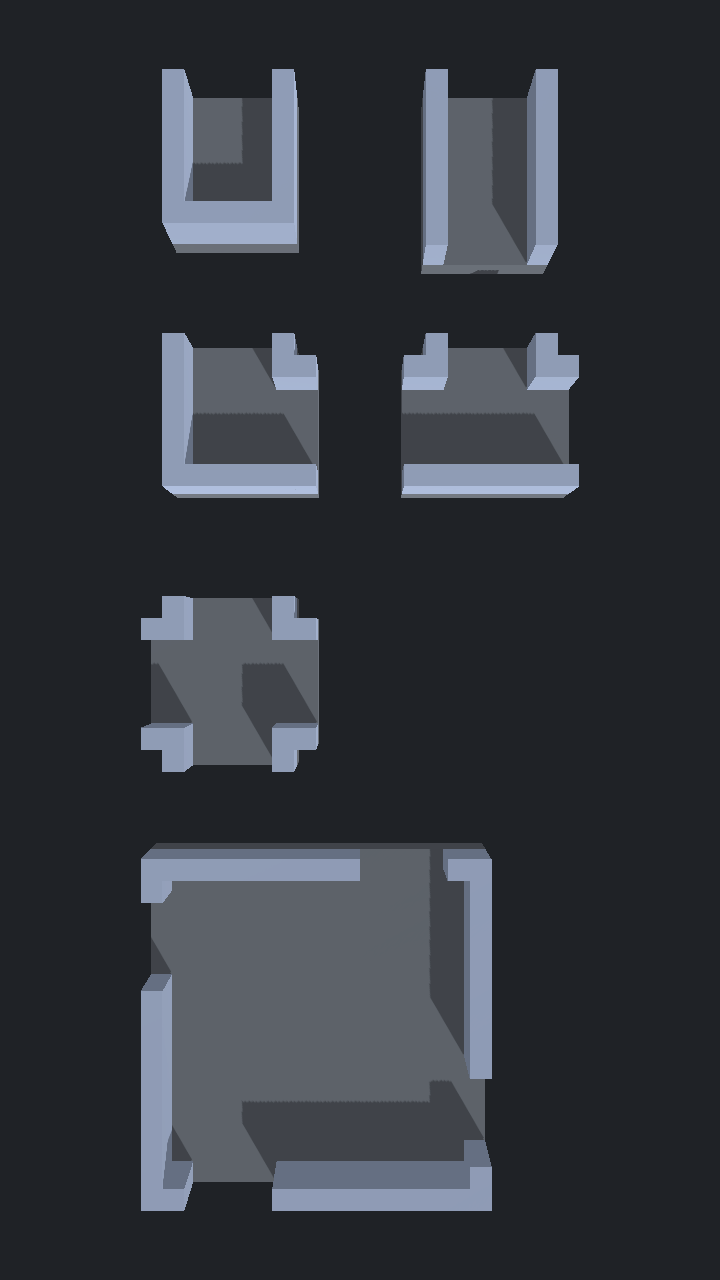
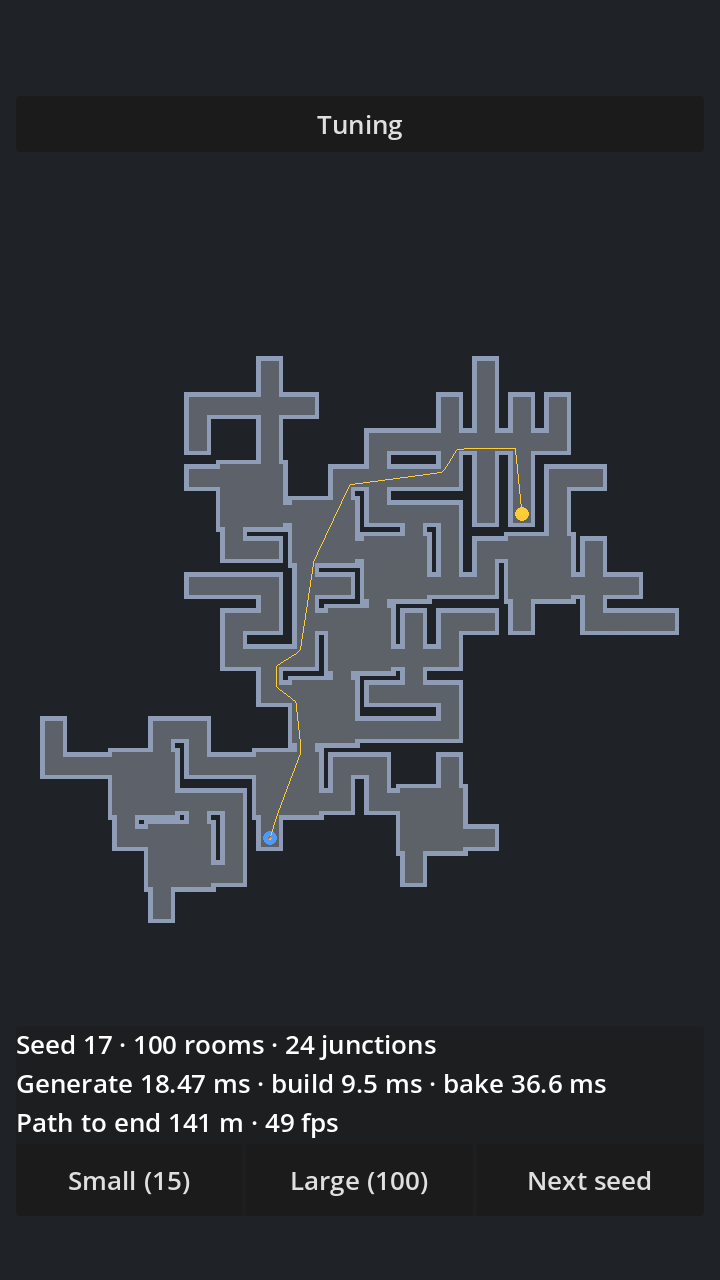
Answer: From six room pieces on an 8 m grid, with 4 m doors in the middle of a cell edge so the doors of any two neighbours line up. The generator starts from a dead end and grows by picking a random open door and putting a random piece that fits behind it. Then it closes every leftover door with a piece that fits, so every doorway leads somewhere. The end room is the one furthest from the start, counted in doorways.
Navigation works: I bake one navigation mesh over the whole dungeon after the rooms are placed. My fallbacks were pre-baked rooms and links at the doors, and I didn’t need either.
It’s fast: on the Pixel 3 a 100-room dungeon is generated, built and baked in about 140 ms, and it’s walkable about a third of a second after generation starts. The gap is the navigation map catching up, which took 10 physics frames. The screenshots are from the Mac, so the timings shown in them are lower than the Pixel 3’s.
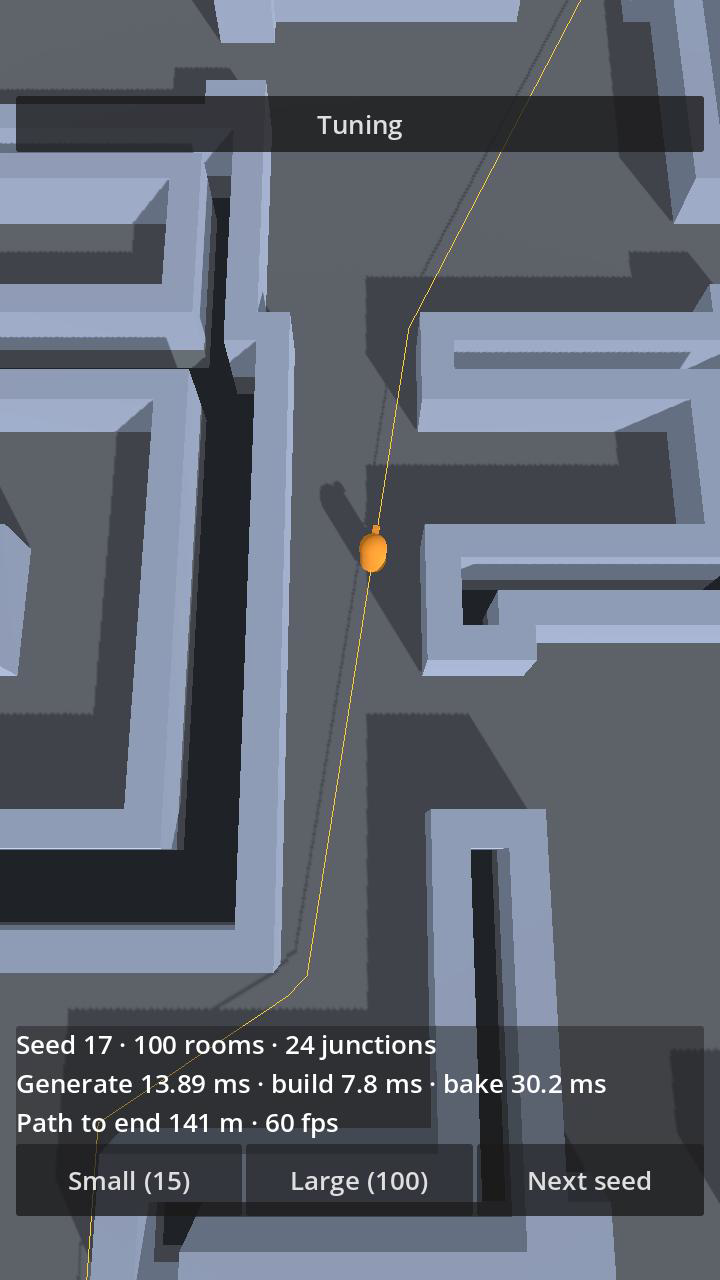
Some Godot notes:
- The navigation map isn’t ready straight after a bake. A path query returned nothing for the first 3–10 physics frames.
- After generating a new dungeon (a scene reload) the map still held the previous dungeon for a moment, and I got a path that ran through the new dungeon’s walls. So a non-empty path doesn’t prove the map is ready. I wait for the map’s iteration id to change and for a path from the start room to reach the end room.
Spike 3: tap to attack
Question: Can you control a fight with taps alone?
Answer: Yes. Tap-to-attack worked with a sword and a wand, and both phones held 60 fps. My first guesses at damage, attack speed and range were good enough that I left them alone.
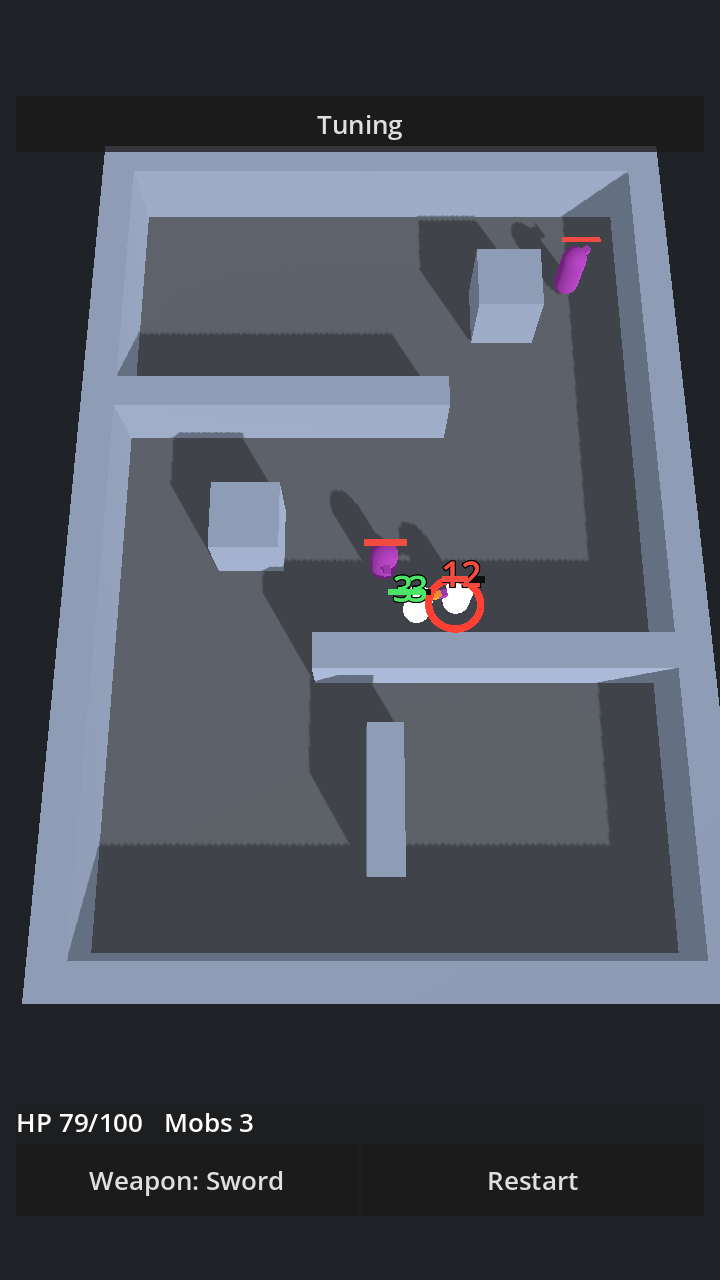
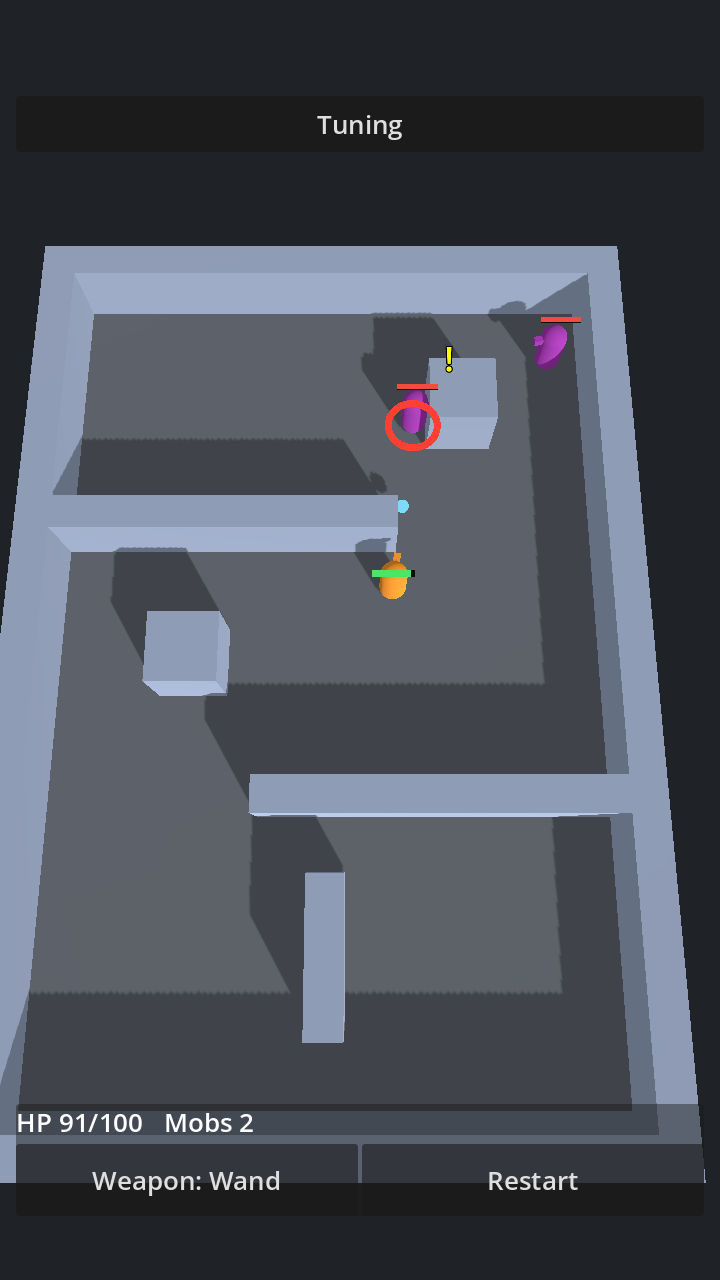
Tap a mob once and the hero keeps attacking it until it’s dead or you tap something else. A red ring marks your target, and a mob that notices the hero shows a yellow “!”.
The hero needed a few rules of its own:
- A walking hero stops to fight a mob that comes within weapon range, then carries on.
- Tapping the ground while you have a target is a retreat, and the hero picks no fights on the way. Otherwise you couldn’t walk away from a mob standing next to you.
- A hero standing idle hits back at whatever hits it.
The hero never reads input. A tap becomes a command (move here, attack that), and the hero carries out the last one it was given. That’s been true since Spike 1, and it’s what lets an autopilot issue the same commands later.
What’s next
The next three spikes: an autopilot that takes the hero through a dungeon by issuing those same commands; skill cards; and fog of war.